Renter guide
How to rent an item, from the first request to getting your Security Deposit back. The screenshots use sample data. Listing something instead? See the Owner guide.
1. Pick your dates
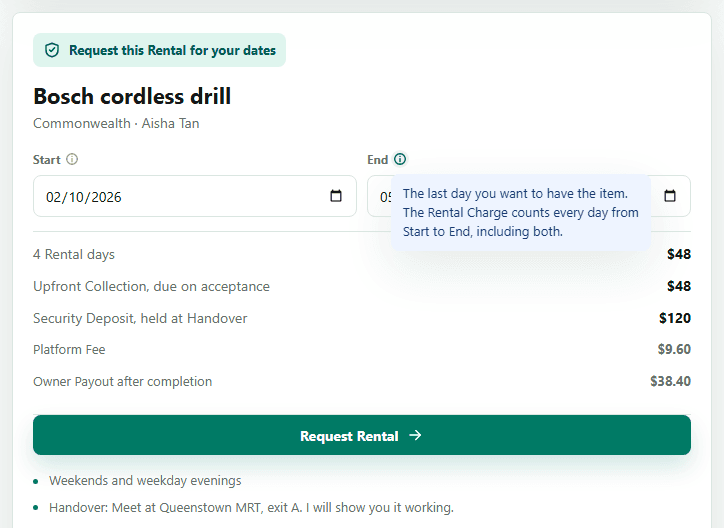
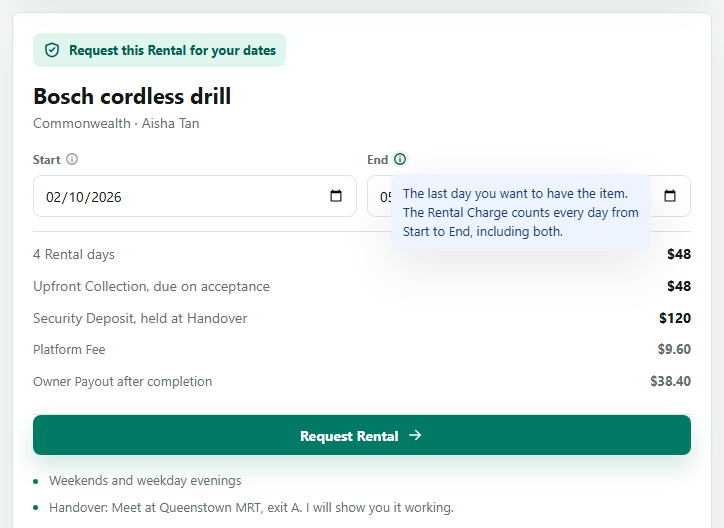
Open a Listing and choose a Start and End date. The prices update as you type: the Upfront Collection you pay, and the Security Deposit that is held on your card at Handover. The small info buttons beside each label explain what a field is for. Both days count, so a Rental from the 2nd to the 5th is four Rental days.
2. Send the request
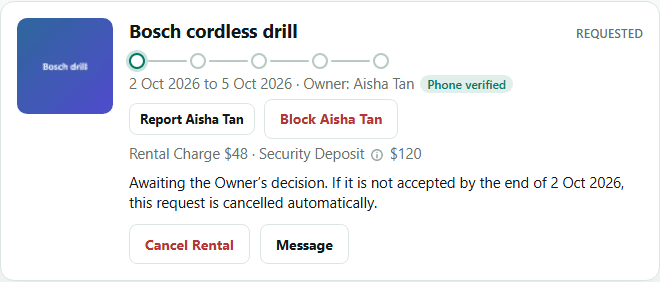
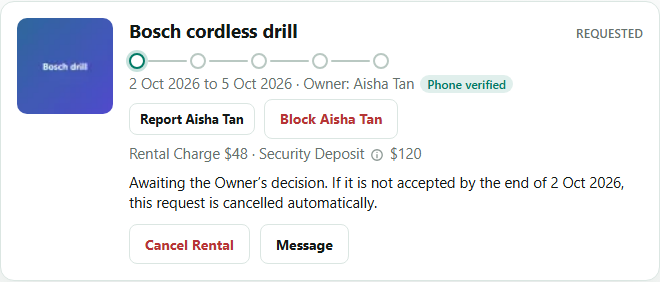
Tap Request Rental. Nothing is charged yet. The Owner accepts or declines. If they have not accepted by the end of your first day, the request is cancelled automatically. You can follow it on the Rentals page.
3. Pay the Upfront Collection
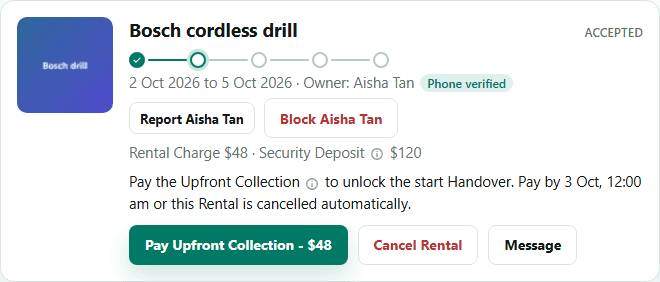
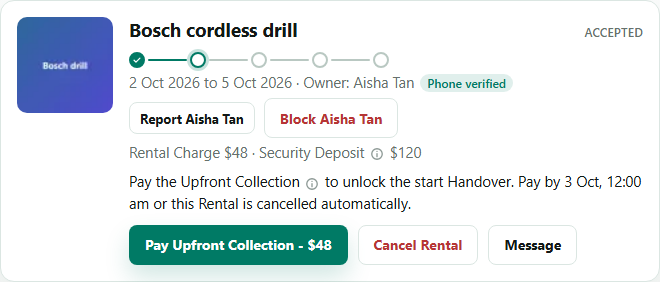
Once the Owner accepts, your Rental card asks you to pay. The Upfront Collection is the Rental Charge only. Renthings keeps it as Held Funds while the Rental is in progress, then pays the Owner.
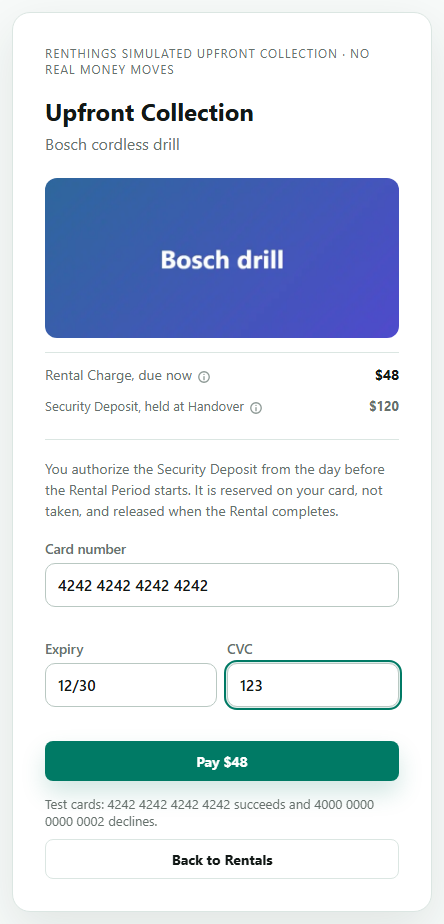
The payment page
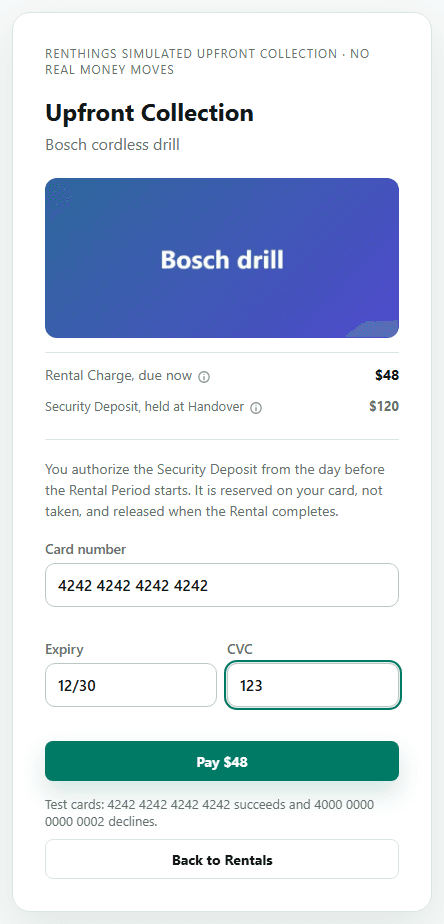
Enter your card details and check the amount on the button. The screenshot is from a test setup with a sample card, so the payment form you see may look a little different.
4. Authorize the Security Deposit
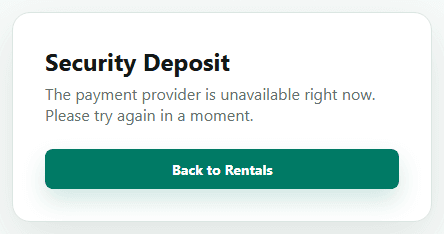
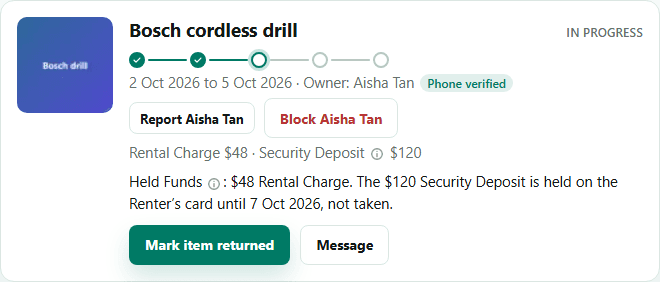
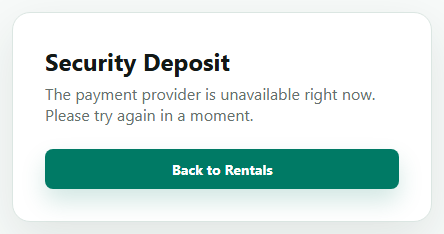
From the day before your Rental Period starts, you authorize the Security Deposit. It is reserved on your card, not taken, and the start Handover waits for it. It is released when the Rental is completed, minus any Return Adjustment the Owner proposes for loss, damage, or a late return.
5. Meet the Owner for the Handover
Arrange the meet-up in the Conversation, using the Handover expectations on the Listing. The Owner confirms the start Handover as they hand the item over, and the Rental is then in progress. Check the item before you leave.
6. Return the item
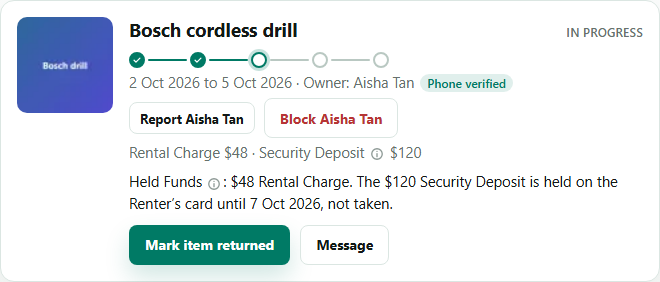
When you give the item back, tap Mark item returned on your Rental card. The Owner then has a Return Review Period to accept the return or raise a Dispute.
7. Done
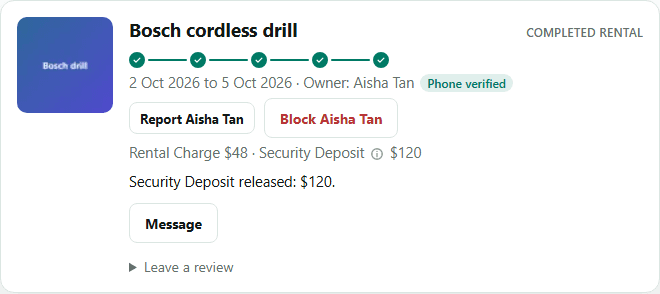
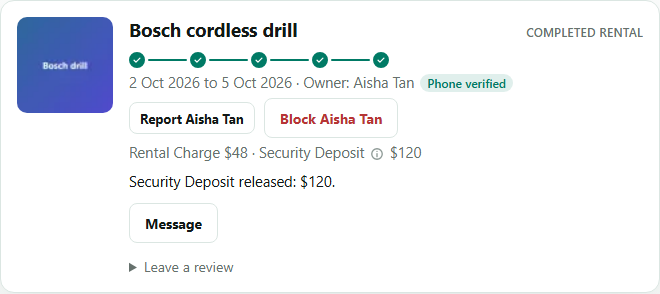
When the Owner accepts the return, the Rental is completed and your Security Deposit is released. You can leave a Review from the card.
Something not as expected? See Help for Disputes and what to do if an item never arrives.